Issuing a quote
In short
Issuing turns a draft into an official document. The quote (devis) gets its final number and its date, and its content stops changing. Afterwards you can no longer change the lines, the prices or the statements. The only way is to duplicate it.
The button: Issue the quote, on the quote screen.
What you will no longer be able to do After issuing: no more changing a line, a price or a statement, and no more deleting. To correct something, duplicate the quote, change the copy, and send that one.
What Devivolt checks first
Issuing is refused if a required detail is missing. The message "Cannot be issued" says what is blocking, with a link to the setting to complete:
- your company profile is incomplete;
- your décennale insurance (ten-year building liability insurance) is incomplete (insurer, address, geographic coverage, end date);
- there is no client on the quote.
An expired insurance does not block issuing: it is flagged, and it is up to you to renew it.
Issuing
- Click Issue the quote. A message recalls what is about to happen.
- Confirm with Issue. The quote takes its number (for example
D-2026-0042) and its date. - Its status moves from Draft to Issued.
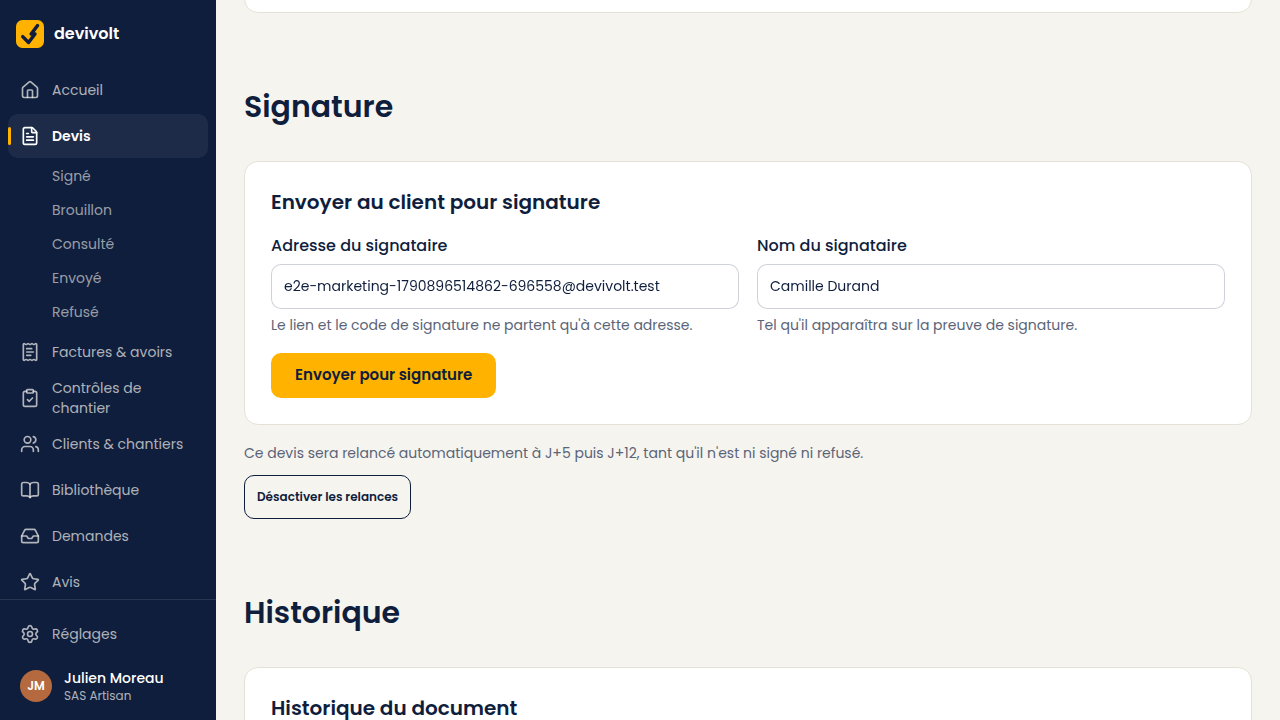
On a computer, Send for signature does both steps in one go: the quote is issued, then the signature link leaves straight away to the client's e-mail address. The button stays grayed out as long as the client has no e-mail address on their record.
Numbering
Your numbers follow each other, with no gap and no duplicate, per document type and per year. It is an accounting requirement, and Devivolt takes care of it entirely. If issuing fails, no number is lost.
The prefixes come from your document settings.
What is frozen
The quote keeps for ever: your details and your insurance as they were that day, the client's name, the site address, the lines, the prices, the rates and the statements. If you change your address tomorrow, the quote already sent does not change.
That is what gives the signature evidence its value: your customer signed exactly what they read.
And then
An issued quote can be sent for signature, downloaded with Download the quote (PDF) or printed. The signature link stops working on the quote's "Valid until" date.