Your company details
In short
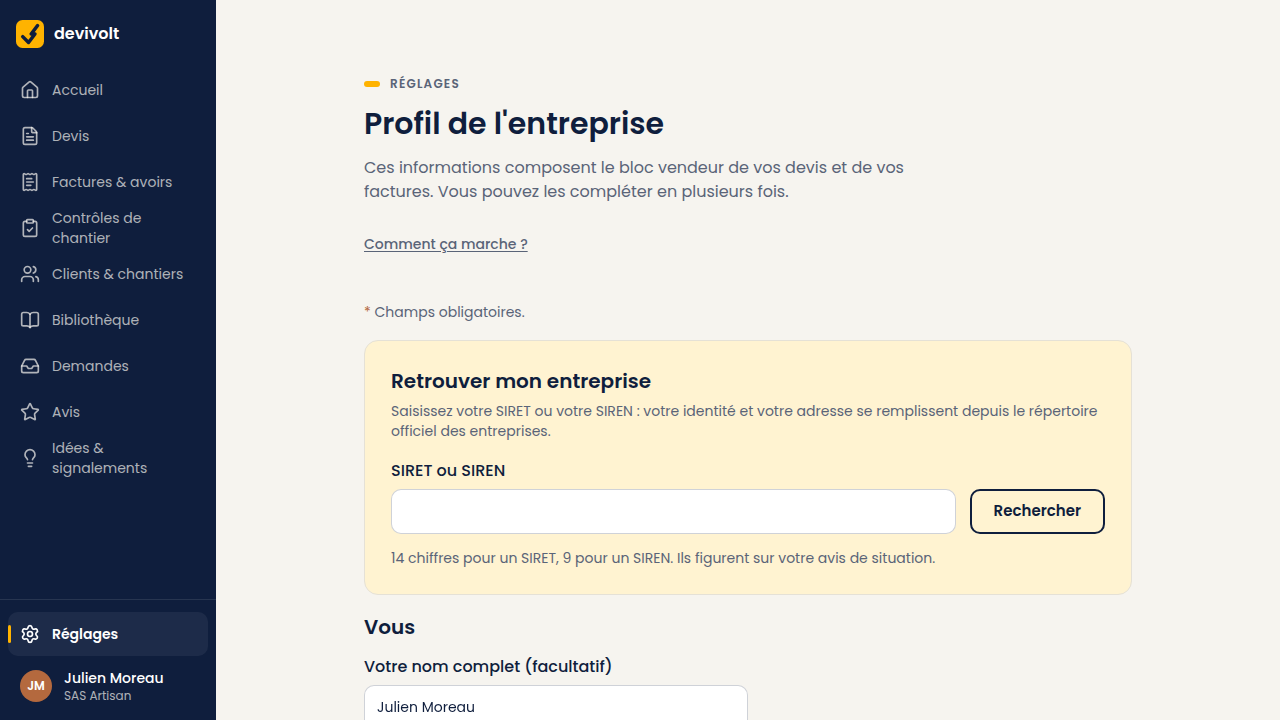
These details are copied onto all your documents. The quickest way: type your SIRET (the 14-digit number of your business) or your SIREN (its first 9 digits). Devivolt fetches your name, your legal form and your address from the official French company register (Sirene) and fills in the form. You only have to check.
The screen: Settings → Company.
Where these details appear
| On the quote | What fills it |
|---|---|
| The header, under your logo | Company name, address, phone, e-mail |
| The "SIRET …" line | Your SIRET |
| The next line | Your VAT number, or the statement "TVA non applicable, art. 293 B du CGI" |
| The statements at the bottom | Your décennale insurance and your payment terms |
Your RCS or RM number, your share capital and your qualifications are kept with the profile and appear on your directory listing; they are not printed on the quote.
Filling in from the SIRET
- Type your SIRET (14 digits) or your SIREN (9 digits) in the SIRET or SIREN field at the top of the screen, then click Search.
- Devivolt fills in the form with what it found. A field you had already filled in another way is not overwritten: the list of those fields is shown.
- The register knows neither your VAT scheme, nor your share capital, nor your RCS/RM number, nor your contact details: fill those in by hand.
- Check everything, then save.
The register is sometimes behind after a move: re-read the address. If the search finds nothing, no problem: everything can be typed by hand. If your company has asked for its data not to be published, the register only gives out your number, your legal form and your town: Devivolt fills in those fields and tells you so, the rest is typed by hand. If the establishment is recorded as closed, Devivolt warns you: do not issue quotes in the name of a company that has been struck off.
The fields, section by section
Identity
The company name and your legal form: micro-entrepreneur, sole trader (EI), EURL, SARL, SAS or SASU. A company must also state its share capital; a sole trader does not.
Registration
Your SIRET (14 digits) and your SIREN (the first 9). A company also enters its RCS or RM number. Devivolt checks that the number is possible: if you copy one wrongly, it is refused straight away, with a message under the field.
Registered office
The address printed at the top of your documents. It is the declared address of the company, not the address of the site.
Contact
The phone number and e-mail on which your client must be able to reach you. At least one of the two is required. They can differ from the address you sign in with.
VAT
- You charge VAT: enter your VAT number. It starts with
FR, followed by two characters and your SIREN. Example:FR 11 123 456 782. - You are under the franchise en base de TVA (the French small-business VAT exemption): tick VAT franchise (art. 293 B CGI). Leave the number empty (it is refused if filled in), and your documents will carry the statement "TVA non applicable, art. 293 B du CGI".
Qualifications
IRVE, Qualifelec, RGE, or any other qualification you want to show, with its level. Add them one by one with Add a qualification; clear the label of a line to remove it. They appear on your directory listing.
A field is refused
The message shows under the field concerned. The most common cases:
| Message | What to do |
|---|---|
| A SIRET must be 14 digits with a valid checksum | Count again: it takes 14, with no extra space |
| A SIREN must be 9 digits with a valid checksum | Same thing, on 9 digits |
| The VAT number must read FR + key + SIREN | The two characters after FR do not match your SIREN |
| The SIRET must start with the SIREN of the company | A SIRET always starts with the 9 digits of the SIREN |
| Under the VAT franchise (art. 293 B), remove the VAT number | Box ticked and number filled in: one of the two is too many |
Changing later
You can come back to this screen whenever you like. A change never alters a document already sent. A quote always keeps the details it had on the day it was issued. Your new address will appear on the following documents.