Your works library
In short
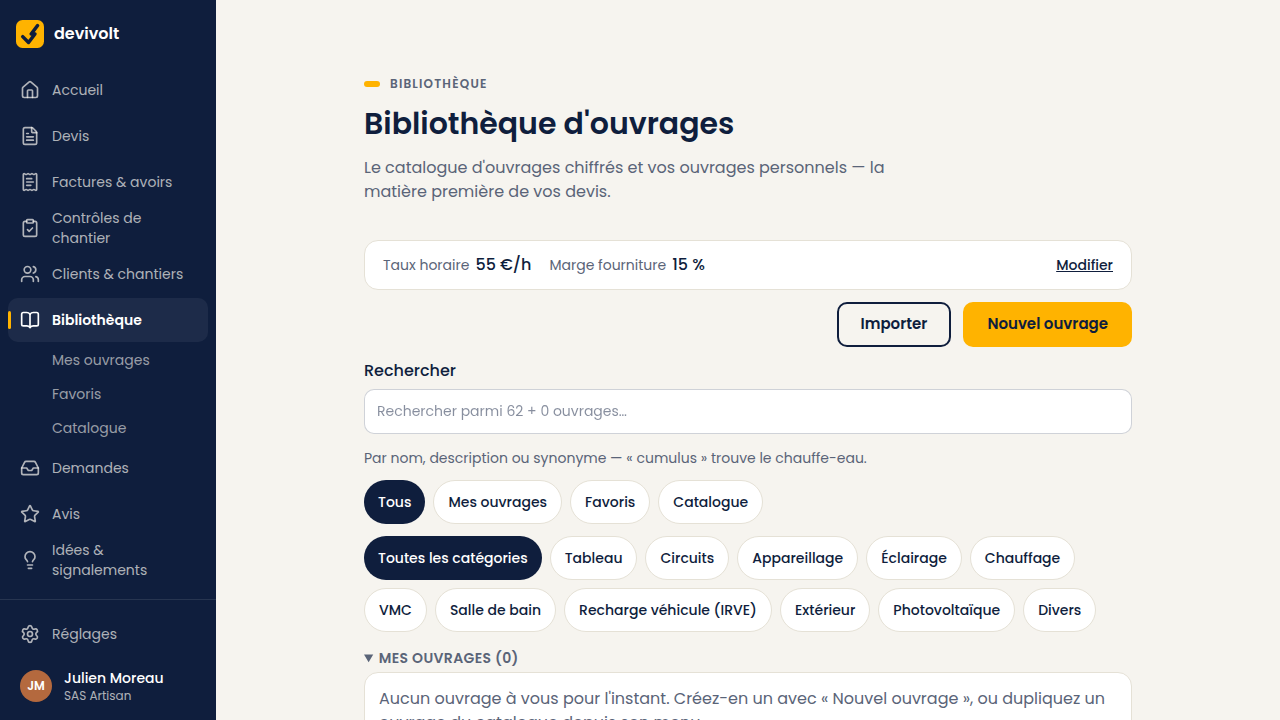
Devivolt comes with a catalogue of 61 electrical works, already priced and sorted into 9 categories. You search them, you pin as favorites the ones you fit often, and you duplicate them to put them at your own prices. The screen separates two funds: My works — the ones you created or duplicated, at the top of the list — then the Devivolt catalogue. The All · My works · Favourites · Catalogue pills narrow the list, and the search looks through both funds at once. A duplicated work keeps its lineage: "Duplicated from: …" leads to the original.
The screen: the Library menu.
What a work is
A service ready to drop onto a quote:
| Element | What it is |
|---|---|
| Label and description | What your client reads on the quote line |
| Supply cost | Your purchase price, before tax and without margin |
| Labor time | In hours and minutes |
| Unit | What is counted: unit, meter, point… |
| Kind of work | What decides the VAT rate offered |
| Synonyms | Your own words: "cumulus" will find the water heater |
The price shown, and where it comes from
The bold number on the right of each work is the price excl. VAT the quote will put on the line — the same one, to the cent, you will see in the editor. It is calculated as follows:
Supply cost + your margin on supplies + installation time × your hourly rate
The margin and the hourly rate come from the Settings → Pricing screen (see Your document settings). Under the price, the line "Supply cost … · Installation …" recalls the two ingredients, and How is this price calculated? unfolds the detail in three lines. If you change your hourly rate, the whole library and the next quote take it into account: you do not have to re-price your works.
As long as your hourly rate is not set, labour is not counted: prices carry the mention without labour and a message takes you to the settings. Set it from the start, or your first quotes will go out without labour.
On the form of a work, the Proposed price excl. VAT on the quote block updates as you type the supply cost and the installation time.
Fixing your own price
On a personal work, the pricing knows two modes: Computed — the formula above — and Fixed: you know your price ("a socket is €85, fitted") and it will land on your quotes as is, margin and hourly rate do not apply. The supply cost and installation time stay useful: the form tells you the real margin this price leaves you. A fixed price does not move when your settings change; switching back to "Computed" returns the work to the formula.
The 9 catalogue categories
Consumer unit, circuits, wiring accessories, lighting, heating, ventilation (VMC), bathroom, vehicle charging (IRVE), outdoor.
Your own works can also be filed under photovoltaic and miscellaneous.
Searching
Search covers the label, the description and the synonyms. Accents and hyphens do not matter. A filter by category narrows the list. A badge shows whether the work comes from the Catalogue or is yours (Personal).
Favorites
Pin the ten or fifteen works you fit every week, with the star on the line (Pin as a favorite). They rise to the top of the list, in the library as well as when composing a quote, where a Favourites filter shows only them. It is the setting that saves the most time, and it takes five minutes.
Putting a catalogue work at your own prices
A catalogue work cannot be edited: it is shared by all users. Make a copy of it:
- Open the ⋯ menu on the line, then Duplicate into my items.
- The copy opens. Change the price, the labor time, the label.
- Save. You have your version, next to the original, marked "Duplicated from the catalogue" in the list.
The copy keeps the VAT rate and the link with the NF C 15-100 checkpoints (the French electrical installation standard): your site checklist keeps working.
Creating a work
Library → New item: your label, your purchase price, your labor time. Think about the synonyms: they are what will help you find the work again in six months.
Your works already exist elsewhere? Library → Import brings them over from a CSV file: see Coming from another software.
Removing a work
Open the work (⋯ menu → Edit), then Remove from my library: it disappears from the list and from searches. Quotes that already use it do not change: a quote line is a copy. A catalogue work cannot be removed, but nothing forces you to use it.