Your clients
In short
A name is enough to record a client. The rest can wait for the quote. A client is either a private customer or a business. You do not delete a client: you archive them.
The screen: the Clients menu.
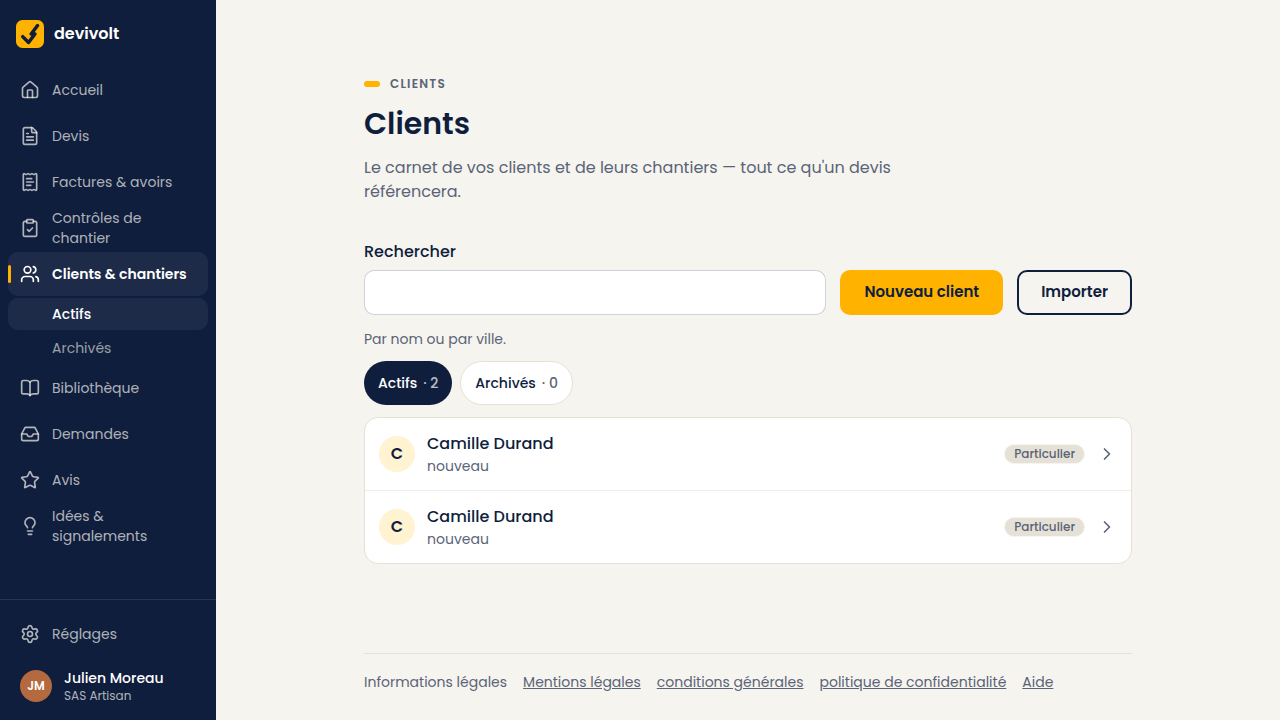
Creating a client
- Click Clients, then New client.
- Choose the type: individual (first name and surname) or professional (company name, optional SIRET).
- Fill in what you have: phone, e-mail, address, notes.
- Save.
For a business, type its SIRET or its SIREN then Search: Devivolt fills in its company name and its address, as for your own company. Notes, on the other hand, are visible to you only: never on a document.
You can create a client with no e-mail. But you will need one to send them a quote to sign. The record reminds you when it is missing.
Importing an existing address book
Your clients already live in another software or in a spreadsheet? Clients → Import brings them over from a CSV file, in three steps: see Coming from another software.
Creating a client while writing a quote
You do not have to prepare your address book in advance. From a quote screen, a short form (type, full name or company name, phone, town) creates the client and attaches them to the quote in one go. You will complete their record later.
Finding a client
Search works on the name and the town. Archived clients do not appear in the Active list; click the Archived filter to see them again.
The client record
It gathers everything about that client:
- their contact details, and a reminder if the e-mail is missing;
- the New quote for this client button;
- their sites;
- their documents: quotes, invoices, credit notes;
- the Archiving area, at the bottom, with Archive this client.
Archiving instead of deleting
An archived client disappears from lists and searches. Their documents stay intact, and you can unarchive them whenever you like.
Why there is no delete A quote or an invoice keeps its client's name for ten years, as accounting rules require. Deleting the record would leave incomplete documents behind. Archiving does what you wanted: tidy up.
If a client asks you to erase their personal data, that is a different procedure: see Your personal data.