Writing a quote
In short
Click New quote and you are in. The quote (devis) exists from the first click and saves itself while you type. As long as it is a draft, everything can be changed.
The screen: menu Quotes → New quote.
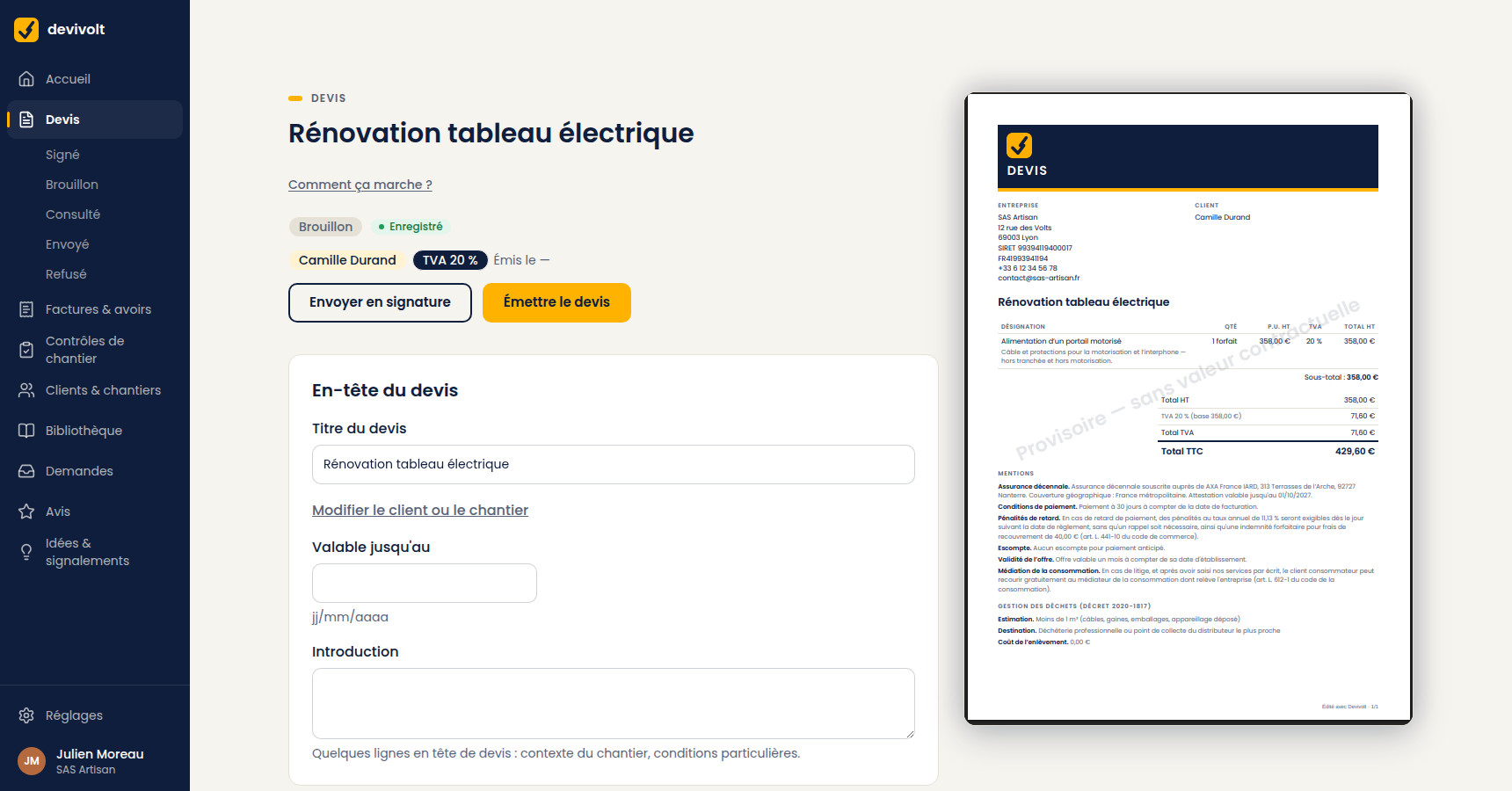
The quote header
| Field | What it is for |
|---|---|
| Quote title | What you will see in your lists, and the subject printed on the document |
| Client | Required to issue the quote. The Create a client link adds one without leaving the screen |
| Job site | Optional, but it is what decides the VAT rate |
| Valid until | The deadline of your offer, as dd/mm/yyyy. Without it, the quote has no end of validity |
| Introduction | A few lines at the top of the quote: context, special terms |
The chosen client and site appear at the top of the quote, with the site's VAT (TVA) rate ("VAT 10 %", or "VAT 20 %" without a site) and the remaining validity. To change them, unfold Change the client or the site.
Creating a client without leaving the quote
Create a client opens a New client panel reduced to four fields: private customer or business, Full name, Phone, City. Create and attach to the quote creates the client and selects it on the quote. The Add the site link then offers you the site, which decides the VAT; the Full form link leads to the complete record (SIRET — the French business registration number —, address, e-mail…). Remember the e-mail address: it is where the quote to sign will be sent.
Without a site, Devivolt cannot know whether the work qualifies for a reduced rate. See VAT on your quotes.
Automatic saving
The quote saves as you go. The indicator moves from "Saving…" to "Saved". You can close the tab: you will find everything again. There is no "save" button to forget.
If there is no network on a site, Devivolt keeps your changes and sends them when you are back online: see Devivolt on my phone.
Deleting a draft
Delete draft erases the quote and its lines, permanently. It is possible as long as the quote has not been issued. After that, it is no longer possible: the quote carries an official number that cannot disappear.