Tracking my activity
In short
The home page answers three questions: what to do now, where my quotes stand, and where the money stands. Each document, for its part, keeps its history.
The dashboard
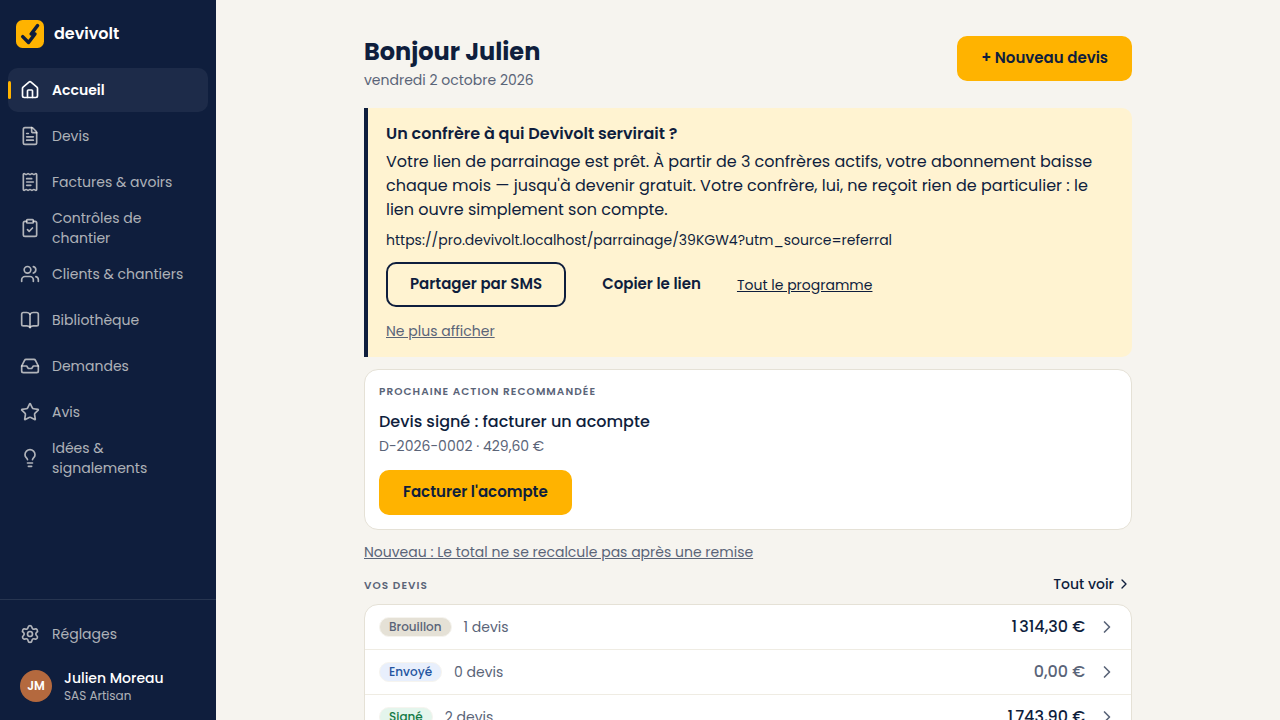
- Recommended next action: at the top, the most urgent thing, with the document, its date and amount, and the button that opens it.
- Your quotes: how many in each state, from draft to signed; See all opens the list.
- Where the money stands: Outstanding (what is left to collect, and how many invoices), Overdue (with the last reminder sent, if any), Collected this month and Invoiced this month (invoices issued, credit notes deducted).
- Requests received: the quote requests that came in through the directory, if you get any.
| Suggested action | What it means |
|---|---|
| Signed quote: raise a deposit invoice | A quote is signed and nothing has been invoiced yet |
| Deposit invoiced: raise the balance | The works are moving on, the balance is still to do |
| This invoice is overdue | The due date has passed |
| This quote expires soon | Its validity is running out: follow up or redo it |
If your trial has ended and you have not chosen an offer, a Trial ended banner shows at the top of the dashboard and of every screen: see My subscription.
The history of a document
On a quote as on an invoice, the History card lists everything that happened to it, newest first: creation, sending, opening by the client, codes sent, signature or refusal, invoicing, payments. Each line carries its date and time.
That is where you find the answer to "he says he never got it".
Quote statuses
| Status | What it means |
|---|---|
| Draft | It exists only for you, everything can change |
| Issued | Numbered and frozen, ready to go |
| Sent | Out for signature, not opened yet |
| Viewed | The client opened the signing page |
| Signed | Accepted: you can invoice |
| Refused | Refused, with a reason |
| Expired | The validity date passed without an answer |
Invoice statuses
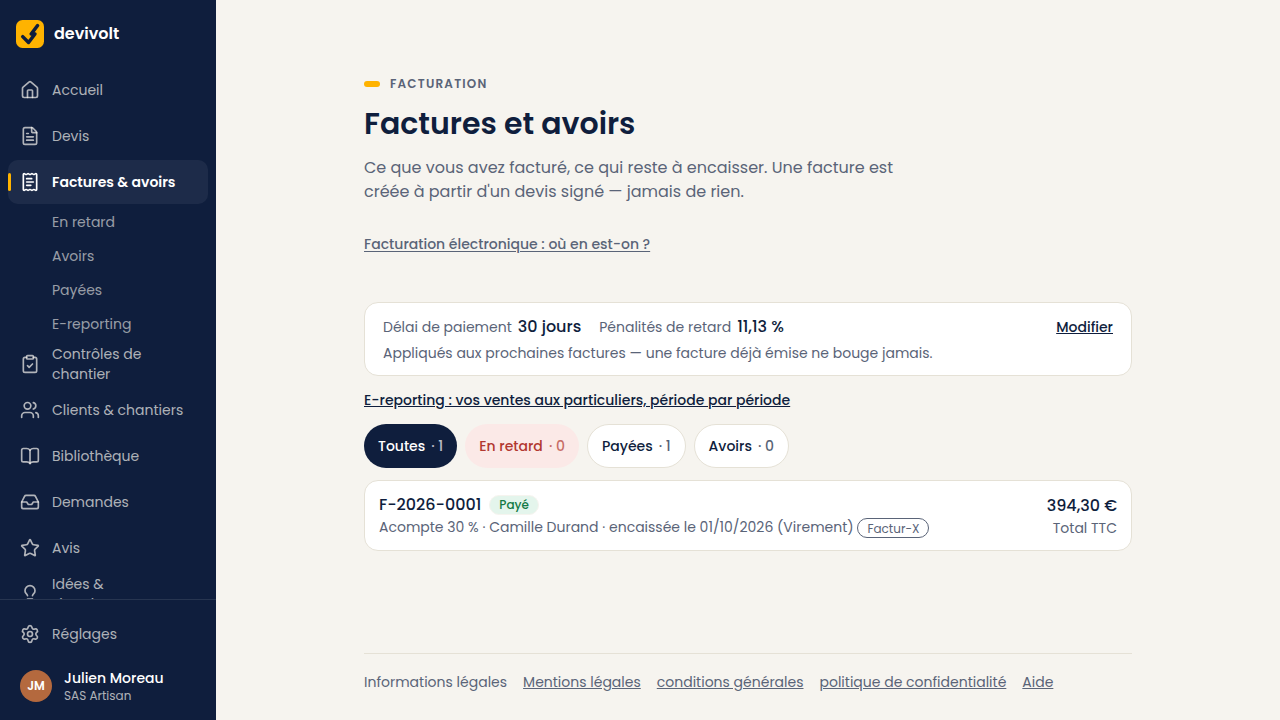
The Invoices and credit notes list says under each line where it stands: its due date, "paid on …", "Overdue · D+…" with the last reminder sent. The All, Credit notes and Overdue filters sort the list.
| Status | What it means |
|---|---|
| Draft | Prepared, not issued yet |
| Issued | Numbered and frozen; to be sent to your client (View the PDF) |
| Partially paid | You received part of the amount |
| Paid | Everything is settled |
| Overdue | The due date has passed and something is still owed |
| Cancelled | A full credit note cancelled it |