Ticking off on site
In short
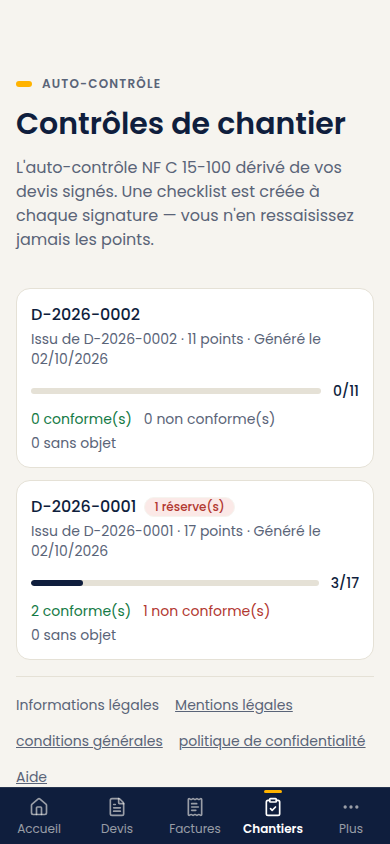
Each point is settled with one of three answers: Compliant, Non-compliant, Not applicable. Each answer is saved right away, even with no network. You can close the screen whenever you like.
The screen: Inspections menu, then the inspection of the site.
The three answers
| Answer | When to choose it |
|---|---|
| Compliant | The point is checked, all is well |
| Non-compliant | The point is not met. It is a reservation to be lifted |
| Not applicable | The point does not concern this installation |
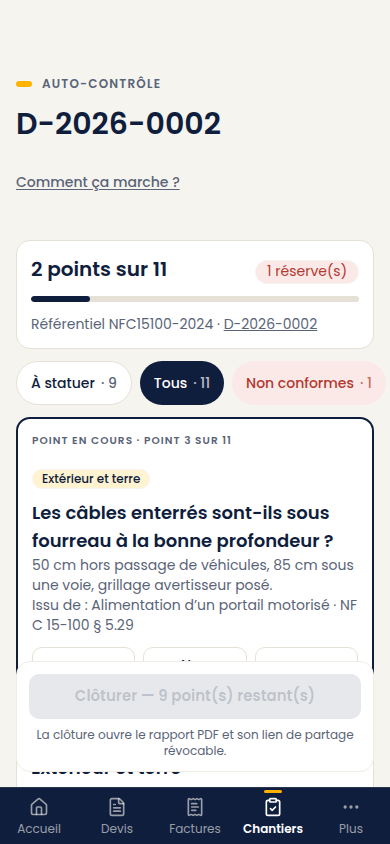
At the top of the screen: the number of points already dealt with ("12 of 45 checkpoints"), the number of reservations, and the name of the referential. The Current checkpoint box puts forward the next point to answer; the To answer, All and Non-compliant filters sort the list. In the inspection list, each site shows its triple counter: compliant, non-compliant, not applicable.
Notes and photos
- Note: what the answer does not say — a location, a precise defect, a visit to come back for. Save the note keeps it.
- Photo (Add a photo): useful to back up a non-compliance, but not required. Take it with the phone; Devivolt shrinks it before sending to save your data plan. Remove takes it off.
The note and photo area opens on a Non-compliant point, and stays visible on a point that already carries a note or a photo.
A screen made for the site
The buttons are large enough to hit with a finger, even with gloves on. The screen keeps responding on a slow network.
With no network, you keep answering and taking photos: the answer shows with the mention "Saved on the device — sent once the network is back", the photo shows "pending", and everything goes out as soon as the network is back. Beyond 50 pending photos, get back on the network before adding more. Only closing the inspection needs the network. For the rest, see Devivolt on my phone.
Closing the inspection
As long as points remain, the button at the bottom reads Close — n checkpoint(s) left and stays disabled. Once everything is answered, Close the inspection closes it. It requires that every point has an answer; otherwise Devivolt refuses with this message:
"Some checkpoints are still unanswered. A non-compliance is an answer, silence is not."
Closing needs the network. The report is then saved as it stands, and its share link becomes available.
Reopening
Reopen the inspection is possible: you correct, you complete, you close again, and the report is rebuilt. That is what you do when a reservation is lifted afterwards.